
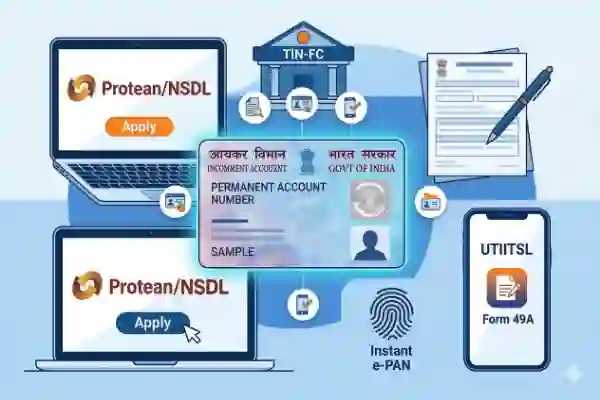
In today's digital age, carrying a physical PAN card is not always necessary. An e-PAN card is a digitally signed version of your PAN card, which is as valid as the physical one. Whether you have lost your card or simply need a digital copy for online verification, you can download it easily from authorized government portals. This guide explains all the reliable methods to download your PAN card online.
Method 1: Download via Protean (Formerly NSDL)
If your PAN was issued through Protean, you can download the e-PAN using your Acknowledgement Number or PAN Number.
- Visit the official Protean e-PAN Portal.
- Enter your PAN Number, Aadhaar Number, and Date of Birth.
- Submit the Captcha and click 'Submit'.
- Choose the option to receive an OTP on your Registered Mobile Number or Email ID.
- Enter the OTP and validate.
- Click on 'Download e-PAN'. You can choose between PDF or XML format.
Note: If your PAN was issued or updated in the last 30 days, the download is free. Otherwise, a nominal fee of approx. ₹8.26 applies.
Method 2: Download via UTIITSL Portal
For PAN cards issued through the UTIITSL agency, follow these steps:
- Go to the UTIITSL e-PAN Download Portal.
- Enter your PAN number and Date of Birth (MM/YYYY).
- Enter the Captcha and click 'Submit'.
- A link to download the e-PAN will be sent to your registered mobile number or email via OTP verification.
- Click the link, enter the OTP, and download your e-PAN card.
Method 3: Download via Income Tax e-Filing Portal (Instant e-PAN)
If you applied for an 'Instant e-PAN' using your Aadhaar card, you can download it directly for free from the Income Tax department's website.
- Visit the Income Tax e-Filing Website.
- Under the 'Quick Links' section, click on 'Instant e-PAN'.
- Select the 'Check Status/ Download PAN' option.
- Enter your 12-digit Aadhaar number and click 'Continue'.
- Verify using the OTP sent to your Aadhaar-linked mobile number.
- Once verified, click on 'Download e-PAN' to get your digital card instantly.
Method 4: Download via DigiLocker
DigiLocker is a secure cloud-based platform by the Government of India. It allows you to store and access your PAN card anytime.
- Log in to your DigiLocker account or app.
- Go to 'Search Documents' and type 'PAN Verification Record'.
- Select 'Income Tax Department'.
- Enter your PAN Number and Name as per the card.
- Click 'Get Document'. Your PAN card will be fetched and saved in your 'Issued Documents' section.
Important Information: e-PAN Password
The downloaded e-PAN PDF file is usually password-protected. The password is your Date of Birth in the format DDMMYYYY. For example, if your birth date is 01 January 1995, your password will be 01011995.